If you spend any time in AI video communities right now, you keep running into the same name. Seedance 2.5 showed up and, within days, changed what people expect from a single AI-generated clip. Not because it’s a totally new idea, but because it fixes the small annoyances that made earlier tools feel like toys instead of tools you could actually use for real work.
You’ve probably felt this before: you type a great prompt, get a decent five-second clip, and then spend the next hour trying to stitch three or four of them together so the story doesn’t look chopped up. That gap between “cool demo” and “usable video” is exactly what this update goes after.
What Actually Changed
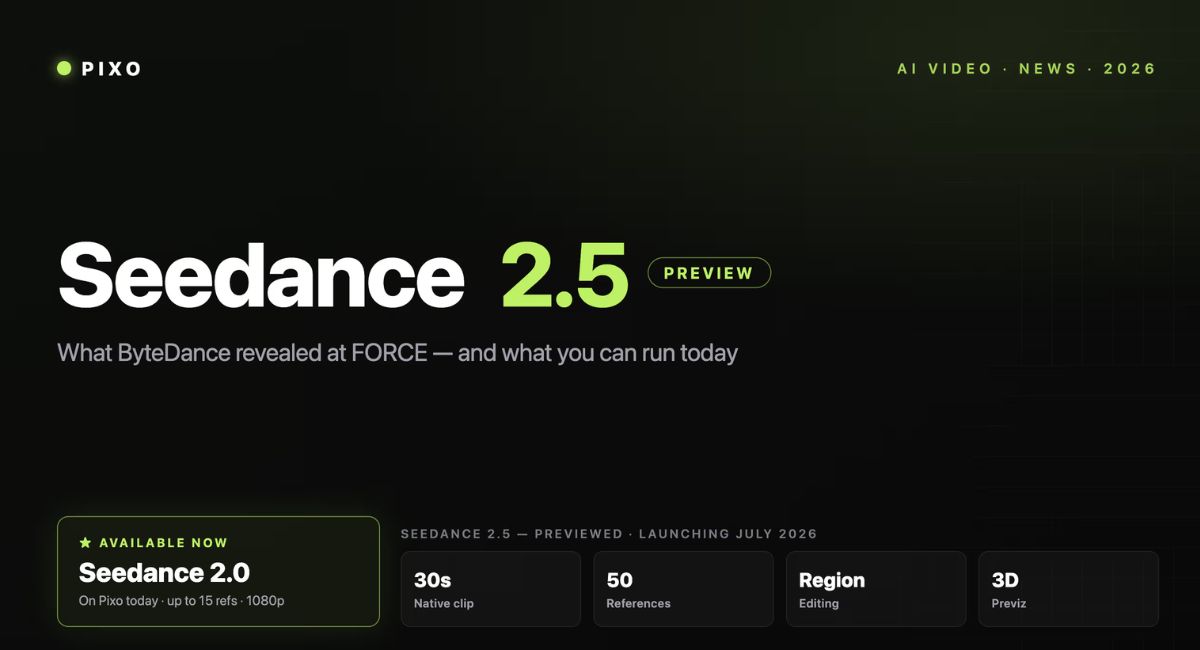
The short version is that clips got longer, references got smarter, and edits got easier to make without starting over. Instead of squeezing a scene into ten or fifteen seconds, you can now generate a single continuous shot that runs up to 30 seconds. That’s long enough to fit an opening, a middle beat, and a proper ending in one pass, instead of gluing fragments together and hoping the lighting matches.
On top of that, you can feed in up to 50 reference inputs at once — images, video clips, and audio files — so the model has a much clearer picture of what you’re actually trying to make. If you’ve ever tried to describe a specific character’s face, a product’s exact packaging, and a particular camera style all in one text prompt, you know how much gets lost in translation. Giving the model real references instead of just words closes that gap.
One Continuous Take vs. Stitching Clips
This part matters more than it sounds like on paper. When you generate five separate short clips and cut them together, you’re doing the editor’s job yourself — matching pacing, hoping the lighting stays consistent, and smoothing over the seams. A single 30-second generation skips that step entirely. The camera move, the action, and the resolution all happen inside one continuous take, so you spend your time directing the shot instead of fixing the transitions between shots.
Why the Reference Limit Increase Is a Bigger Deal Than It Sounds
Fifty combined inputs doesn’t just mean “more stuff you can upload.” It means you can hand the model a character reference, a product photo, a motion clip you liked, and a piece of background audio, all in the same generation, and expect it to actually use all of that context together. For anything with more than one moving part — a product ad with a spokesperson, a short story with two characters, a brand video that needs to match an existing style guide — that’s the difference between a video that looks coherent and one that looks like it was assembled by three different people.
If you want to see how this plays out in practice, it’s worth spending some time on Seedance AI, where you can look through examples before committing a prompt to a full generation.
Editing Without Starting the Whole Thing Over
Here’s a frustration you’ve likely run into with older video models: you generate a clip you mostly like, except one detail is wrong — a logo, a face, a background object — and fixing it means regenerating the entire scene and crossing your fingers that everything else stays the same. This update leans hard into local, region-level editing instead. You can point at the specific part of the frame that needs to change and adjust just that piece, while the lighting, motion, and everything else around it stays untouched.
That single change saves a surprising amount of time once you’re doing more than one or two generations. Instead of treating every fix as a full re-roll, you treat it like a normal editing pass — the way you’d touch up a photo rather than retaking it.
Who Actually Benefits From This
If You Run Ads or Manage a Small Brand
A 30-second single clip lines up almost perfectly with the format most paid ads and product pages actually need: hook, product moment, closing frame. Instead of building that structure out of separate generations and hoping the product looks the same in each one, you get it in one pass, with consistent lighting and framing from start to finish. That’s a real time save if you’re testing multiple ad variations before committing a media budget.
If You Make Short-Form Content
For TikTok, Reels, or Shorts, pacing is everything, and pacing is hard to fake across stitched clips. A longer native shot gives you room to set up a moment and pay it off within the same take, which tends to read as more natural than three quick cuts trying to do the same job.
Creators comparing different AI video solutions may also want to explore the best AI avatar generator for video creation to see which features best match their production workflow.
A Few Things Worth Keeping in Mind
None of this means you can skip planning your prompt. Longer clips and more references still reward a clear, specific description — subject, setting, camera movement, and what you want the ending beat to look like. Vague prompts still produce vague results; they just take longer to generate now. And if you’re using licensed characters, real people’s likenesses, or copyrighted music as references, you’re still responsible for making sure you actually have the rights to use them.
Getting Started
If you’re curious enough to try it yourself, the easiest way in is to open up Seedance 2.5 and run a small test first — a simple product shot or a single-character scene — before you attempt anything with multiple references or a full 30-second story arc. Once you see how the continuation and region editing behave on something simple, scaling up to a more complex brief gets a lot less intimidating.
The gap between “impressive AI demo” and “something you’d actually put in a real campaign” has been closing for a while. This update is one of the more noticeable steps in that direction, and it’s worth seeing for yourself before assuming it’s just another incremental bump.