There’s a particular kind of flaw that’s easy to miss in a single frame but impossible to unsee across an entire video: a jacket that’s a slightly different shade a few seconds later, a room that’s brighter in one shot and dimmer in the next, a face that’s almost — but not quite — the same person it was thirty seconds ago.
None of these are dramatic on their own. Together, they’re usually what separates a video that feels intentional from one that feels assembled. Seedance 2.5 is an upgraded iteration of Seedance 2.0, designed to deliver better AI video quality, consistency, and creative control. Dreamina’s Seedance 2.5 model was built to close exactly this gap, keeping every visual detail aligned from the first scene to the last.
Why consistency quietly falls apart over time
Generating one great-looking frame has never been the hard part of AI video. The difficulty shows up as more frames get added, because every new frame is another small opportunity for a detail to drift. A character’s hair might shift in tone, a background element might change shape slightly, lighting might warm or cool in ways that have nothing to do with the actual scene.
This kind of drift is often described as a cumulative error — small, individually unnoticeable shifts that build up over the course of a longer sequence until the difference between the first frame and the last becomes obvious. It’s rarely one bad decision. It’s dozens of tiny ones compounding quietly in the background.
What actually keeps a scene visually aligned in Seedance 2.5
Seedance 2.5 was built to address this drift directly, rather than trying to patch it after a video is already generated.
Consistency is handled at a structural level
Spatial and temporal consistency have been reworked so that a character’s face, proportions, and clothing, along with a scene’s lighting and tone, stay locked in place across an entire sequence. This matters most in scenes involving movement, where a character turns, walks, or interacts with something else, since these are exactly the moments where inconsistency used to become most visible.
Reference material gives the model something exact to hold onto
Uploading a photo gives Seedance 2.5 a concrete anchor for how a subject should look throughout a video, rather than relying purely on a text description that can be interpreted slightly differently frame by frame. Green screen references extend this further, letting creators supply real footage for complex physical interactions between people, so the model has something precise to match rather than approximate.
Longer clips mean fewer stitched-together seams
Single-clip duration has doubled from 15 to 30 seconds, meaning more of a scene can play out in one continuous take instead of being pieced together from shorter fragments. Fewer stitches mean fewer chances for a visual detail to shift between them. When a clip does need to extend further, two full rounds of extension are now supported without the noticeable quality drop earlier versions introduced after just one.
Multi-person scenes hold together far more reliably
The long-standing “twin” issue, where a single character would sometimes duplicate into near-identical copies within a frame, has been significantly reduced, along with more accurate face-swapping when multiple people appear together. This matters directly to visual consistency in any scene involving more than one subject, since these were previously the scenes most likely to break down.
Keep every scene aligned in three steps
Step 1: Enter text prompt and reference image
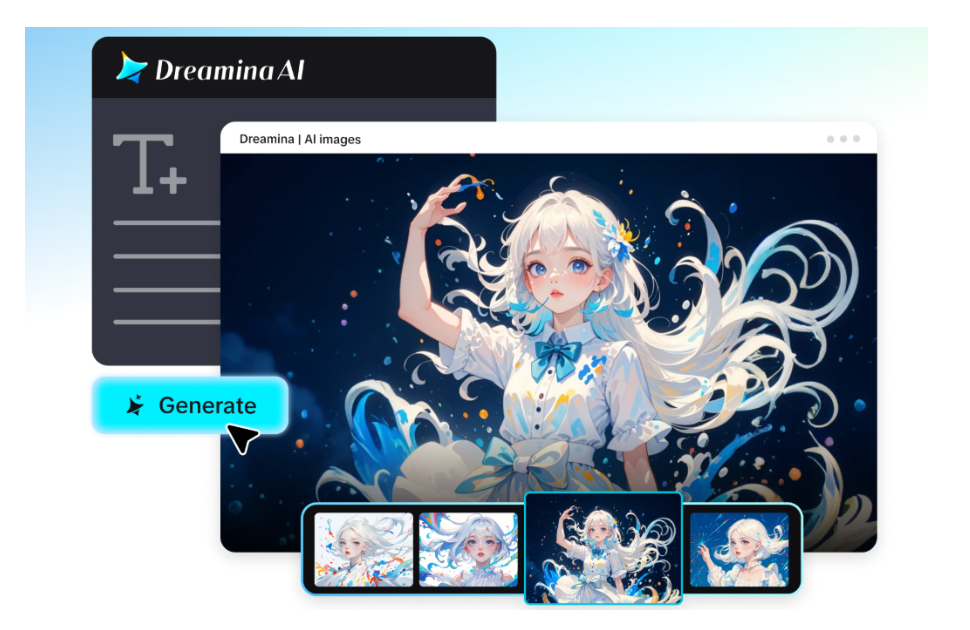
Visit Dreamina, sign in, and head to the “AI Video” section. If your video is built around a specific subject, product, or setting, click “Add reference image” and upload a clear photo to anchor the generation. For a pure text-to-video creation, skip the upload and describe the scene fully in your prompt instead.
A detailed prompt for a 30-second sequence might read: A florist arranges a bouquet at a wooden workbench in a sunlit shop, carefully trimming stems and adding flowers one by one, the camera slowly circling from a wide shot to a close-up on her hands, soft natural light streaming through a nearby window, warm and calming color palette maintained throughout, gentle ambient background sound, unhurried and focused mood.
Step 2: Select parameters and generate
With your prompt and reference ready, select the Seedance 2.5 model for generation. Choose your video length, then pick an aspect ratio suited to where it’s headed — 16:9 for YouTube, or 9:16 for TikTok. Click Dreamina’s generation icon and let the model generate footage that stays visually aligned from start to finish.
Step 3: Personalize and download
Once the video is generated, use Dreamina’s AI editing tools to give it a final check and polish. Upscale sharpens resolution for a cleaner, more consistent finish, while Generate Soundtrack adds audio that matches the tone you’ve established. Once everything looks right, export the video and share it wherever your audience is waiting.
Small choices that reinforce consistency
A prompt doesn’t need to be complicated to help the model stay visually aligned — it just needs to be specific about the details that matter most. A few habits tend to help:
- Naming a clear color palette or lighting style rather than leaving it open to interpretation
- Uploading one clean, well-lit reference photo instead of several conflicting ones
- Describing the scene’s mood and tone directly, since that tends to guide lighting consistency as much as any technical instruction
A video that looks like one continuous moment
Visual consistency is one of those details a viewer rarely notices when it’s done right and can’t stop noticing when it isn’t. It’s the quiet foundation that makes a video feel deliberate rather than assembled.
With Dreamina and its Seedance 2.5 model, that foundation no longer has to be fought for scene by scene — it holds on its own, letting a video look and feel like one continuous moment from its opening frame to its very last.