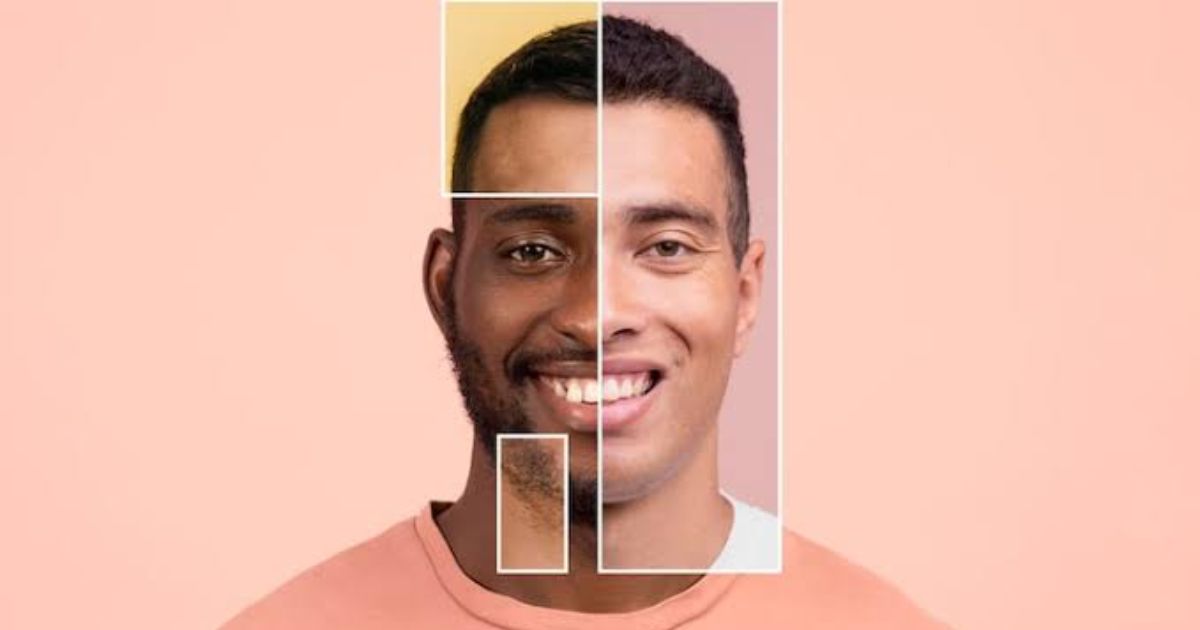
Face swap videos are everywhere right now — your face dropped into a movie scene, a friend starring in a music video, a meme that looks just real enough to make people look twice. AI turned that into a thirty-second job you can do from a browser, with no editing skills. Here’s what an AI face swap video actually is, how it works, and how to make your own for fun.
What is an AI face swap video?
An AI face swap video takes a photo of one face and maps it onto the person in a target clip, keeping their movements, expressions, and lighting. Older face swaps looked pasted-on and glitchy; newer AI models redraw the face frame by frame, so the edit usually blends in cleanly. Mostly it’s for fun — memes, reactions, and dropping yourself or your friends into scenes you’d never actually film.
None of it needs a studio or any real editing skill. You upload a photo, pick a clip, and see how convincing — or how ridiculous — the result comes out. The swaps that land best usually start from a clip people already recognise, so the joke reads the second it plays.
Why face swap videos took off
Two things pushed face swaps into the mainstream. First, the quality jumped — AI models now handle motion, angles, and lighting well enough that a casual viewer often can’t tell it happened. Second, the effort collapsed: what once needed desktop software and hours of masking is now a browser upload that finishes in minutes.
Put those together and a format that used to be a VFX trick became something anyone can try on their phone over lunch. That’s why your feed is suddenly full of them — friends dropped into film scenes, musicians wearing someone else’s face, and the same three seconds of a movie remixed a hundred different ways.
How does a face swap video work?
Under the hood it’s simpler than it looks. You feed the tool two things — a portrait photo and a source clip — then you swap faces in a video by mapping the still face onto the moving performer, re-drawing it frame by frame while keeping the original motion and lighting. Modern models make the blend convincing enough that a casual viewer often can’t tell it’s edited.
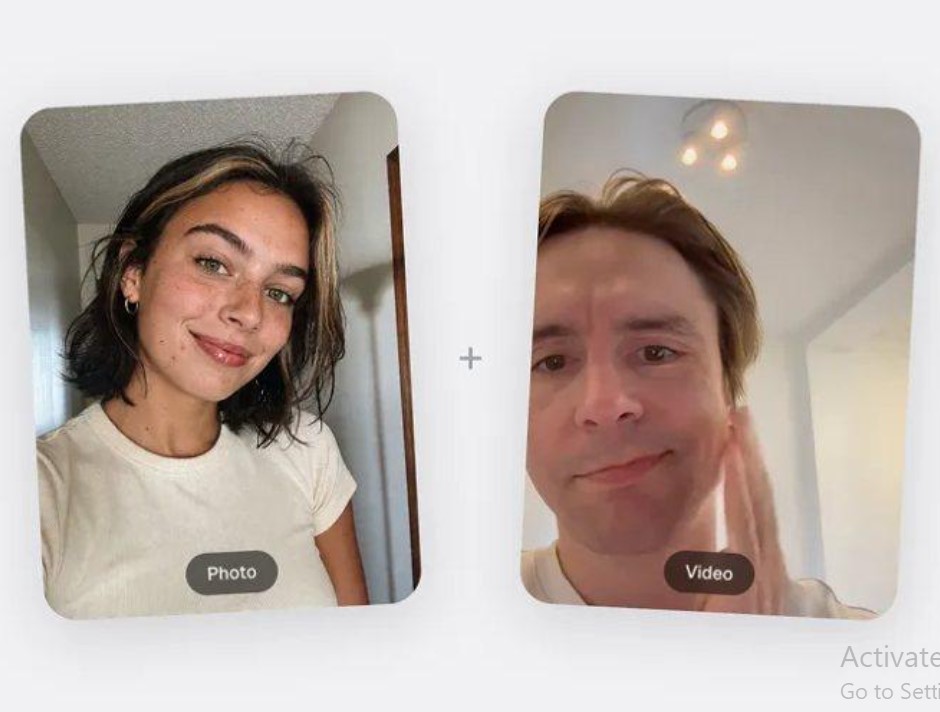
A face swap combines a portrait and a source clip into a new take. Source: overchat.ai, July 2026.
Most of the time this is pure fun — dropping yourself into a scene, ribbing a friend, or remaking a meme everyone already knows. The same realism that makes it funny is also why a little common sense helps: swap your own face or a willing friend’s, keep it obviously a joke, and don’t try to pass a clip off as real. There is more on staying on the right side of that near the end.
Tips for a face swap that actually looks good
A few small choices separate a clean swap from an obvious one. Start with a sharp, front-facing portrait in even light — sunglasses, heavy shadows, and extreme angles are what trip the model up. Pick a source clip where the face stays clearly visible and isn’t constantly turning away. Match the energy, too: a calm portrait dropped onto a wildly moving clip can look off. And run a couple of takes — the second one is usually better once you’ve seen what the model does with your inputs.
One app or a pile of tools?
You can chase down a separate tool for every job — one for swaps, one for captions, one for upscaling — or use a single app that covers most of it. If you’re also interested in creating virtual presenters or talking avatars, an AI avatar generator can complement face swap tools for a complete AI video creation workflow.
| Consideration | All-in-one platform | Single-purpose tool |
| Setup | One login, one bill | Multiple accounts to manage |
| Cost | Bundled, usually cheaper overall | Adds up across subscriptions |
| Depth | Broad, occasionally less specialised | Deep in one narrow task |
| Workflow | Files move between tools easily | Exporting between apps each step |
Overchat AI is one example of the all-in-one route. It’s an app with 150+ tools for image, video, audio, and text, powered by the latest models from GPT, Claude, Gemini, Grok, Kimi, and Qwen — so the same account that swaps a face can also generate a clip, write a caption, or edit a photo. The account is free to start, and generating a swap is a paid feature. It runs on web, iOS, and Android and is used by more than 350,000 people. Whichever route you pick, the goal is the same: fewer steps between an idea and a finished clip.
How to make your first face swap video
You don’t need any editing background. Pick a tool that runs in your browser, upload a clear portrait, add the clip you want to drop the face into, choose an aspect ratio (9:16 for Reels and Shorts, 1:1 for feeds, 16:9 for YouTube), and hit swap. Most tools hand back the finished video in a few minutes, ready to download and share. Since most are free to try, the only real cost of experimenting is a few minutes of your time.
A few things to keep in mind
Face swaps are fun, and keeping them that way mostly comes down to a little courtesy. A couple of habits cover almost everything:
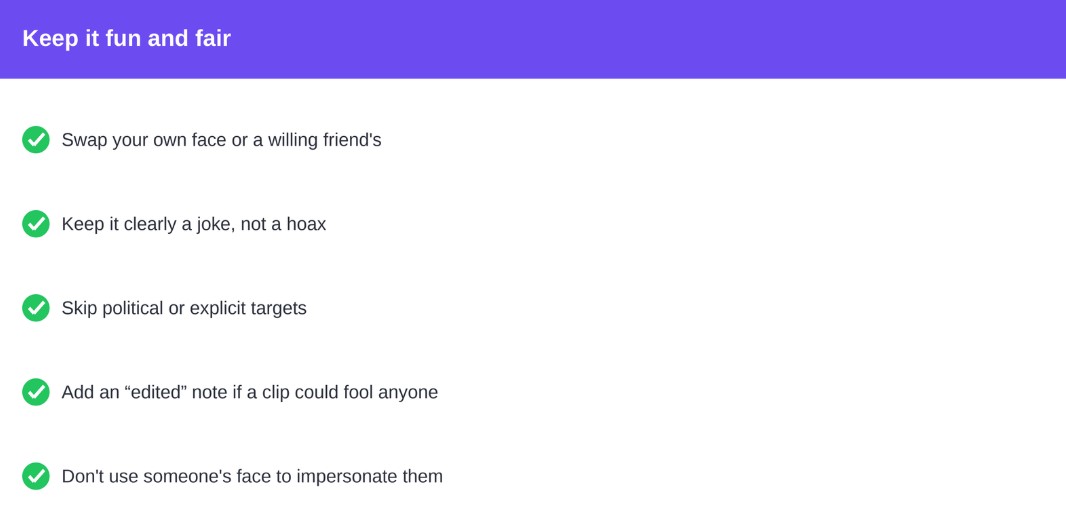
None of this is heavy lifting. Deepfake laws have tightened in a lot of places over the last couple of years, mostly around political and explicit content, so that’s the one zone to steer clear of. Everywhere else, if everyone’s in on the joke, you’re set — the hardest call left is whose face ends up funniest.
Frequently asked questions
Are AI face swap videos free?
Many tools have a free tier you can try, though the cleanest, watermark-free results are usually on paid plans. All-in-one apps like Overchat keep the account free and only charge when you actually generate a swap, so you can look around before you pay anything.
Is it legal to swap someone’s face in a video?
For personal, non-deceptive fun with the consent of anyone shown, it’s fine in most places. Deepfake laws are tightening around political and explicit content, so keep it light, get permission, and don’t try to pass an edit off as real.
Do you need editing skills to make one?
No. Most face swap tools are built around uploading a photo and a clip and pressing one button. They run in the browser on any device, so you can make a polished clip with no post-production software.
What footage gives the best swap?
A sharp, front-facing portrait in even light, plus a source clip where the face stays clearly visible. Extreme angles, heavy shadows, and sunglasses are usually what give a swap away, so the clearer both inputs are, the more convincing the result.
How long does a face swap video take?
Usually a few minutes end to end. You’ll spend longer picking a funny clip than waiting on the render — most browser tools return a short swap in minutes, ready to download and share.