The way people work, learn, and share information has changed dramatically in recent years. As remote collaboration, online learning, and digital content creation continue to grow, the ability to capture on-screen activities has become increasingly important.
Whether you’re explaining a process, recording a virtual meeting, creating educational content, or sharing gaming highlights, a reliable screen recorder can make communication faster and more effective.
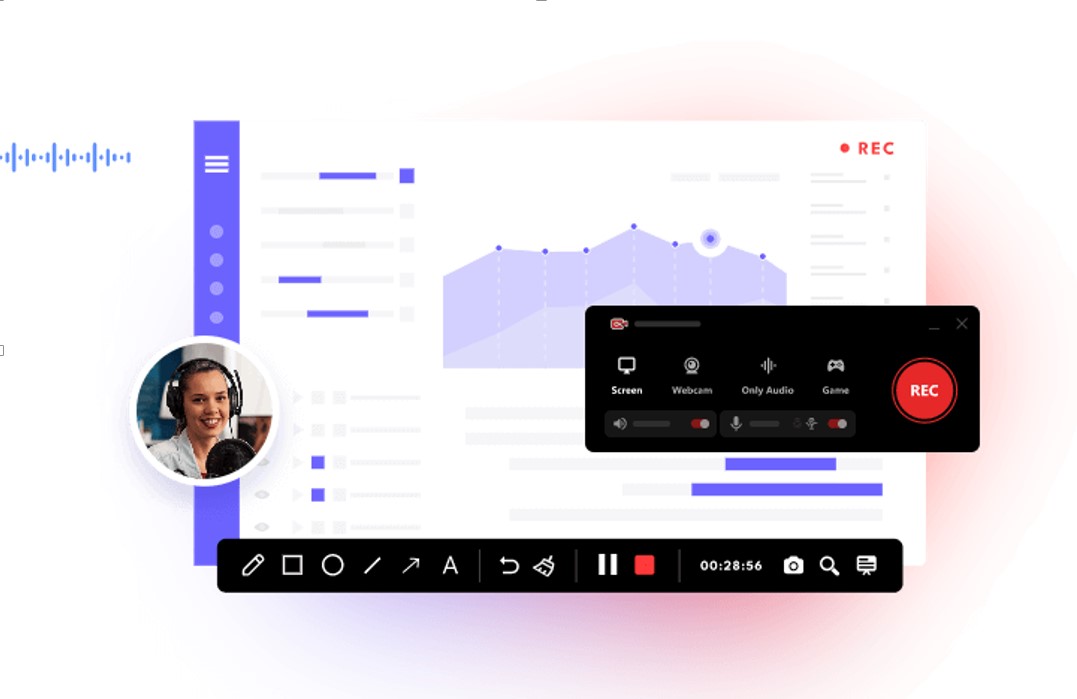
Applications like iTop Screen Recorder help users capture their screens with ease, allowing them to create professional-looking content without requiring advanced technical skills.
From students and teachers to business professionals and content creators, screen recording tools are now used across a wide range of industries and everyday activities.
Understanding Screen Recording Software
A screen recorder is a program that captures visual activity displayed on a computer screen. Depending on the software, users can record their entire screen, a specific window, or a selected area.
Many modern screen recording applications include additional capabilities that enhance the recording experience, such as:
- System and microphone audio recording
- Webcam overlay support
- Screenshot capture
- Annotation and drawing tools
- Basic video editing functions
- Scheduled recording options
These features allow users to produce clear and engaging visual content without relying on multiple applications.
Why Screen Recording Is More Popular Than Ever
The rapid growth of online communication has significantly increased the demand for screen recording solutions.
People use screen recording software for a variety of purposes, including education, business, entertainment, and technical support.
Remote Collaboration
Teams often record meetings, product demonstrations, and training sessions to share information more efficiently.
Digital Learning
Educators create video lessons and tutorials, while students can revisit recorded materials to reinforce their understanding.
Content Production
Creators frequently use screen recordings to produce tutorials, software reviews, and step-by-step guides. Many also combine screen recording with AI image-to-video tools to create more engaging visual content.
Gaming and Streaming
Gamers capture memorable moments, walkthroughs, and gameplay strategies to share with online audiences.
Technical Assistance
Visual recordings help users explain software problems more clearly than text-based descriptions.
In many situations, recording a process is quicker and more effective than writing detailed instructions manually.
Why Users Choose iTop Screen Recorder
Among the many tools available today, iTop Screen Recorder has gained popularity because of its simple interface and flexible recording options.
Many users appreciate software that combines ease of use with practical features.
Some commonly valued capabilities include:
Flexible Recording Modes
Users can capture their entire screen, a chosen window, or a custom recording area.
Simultaneous Audio and Webcam Recording
The ability to record system sounds, microphone input, and webcam footage at the same time helps create more engaging videos.
Easy Navigation
Well-organized controls make it simple to start, pause, and manage recordings.
Built-In Editing Features
Basic editing options allow users to trim clips and organize recordings without additional software.
Its intuitive design makes it accessible to both first-time users and experienced professionals.
Practical Applications of Screen Recording Tools
Screen recording software can be used in many different environments.
Education
Teachers create instructional videos, and students use recordings as study resources.
Business Operations
Organizations record training materials, presentations, and internal communications.
Product Showcases
Businesses demonstrate products and services through visual walkthroughs.
Customer Support
Support teams create video tutorials to help customers solve common issues.
Social Media and Content Creation
Creators develop engaging videos for websites, social platforms, and online communities.
This adaptability makes screen recording software useful for a broad range of users.
Advantages of Using a Screen Recorder
There are several reasons why screen recording tools have become so valuable.
Saves Valuable Time
Visual demonstrations often communicate information more efficiently than written explanations.
Improves Understanding
Users can explain processes step by step with greater clarity.
Supports Flexible Collaboration
Recorded content can be shared and viewed at any time.
Simplifies Content Creation
Creating tutorials, guides, and presentations becomes more manageable.
Reduces Repetition
Reusable recordings eliminate the need to repeat the same explanations multiple times.
These advantages continue to increase the demand for screen recording solutions.
Key Features to Consider
When choosing a screen recorder, it’s important to evaluate features based on your specific needs.
Video Quality
High-resolution recording options help create professional-looking videos.
Audio Flexibility
Support for both microphone and system audio provides greater control.
Editing Capabilities
Built-in editing tools can simplify the post-production process.
Export Options
Multiple output formats ensure compatibility across different platforms.
Resource Efficiency
Lightweight software minimizes the impact on system performance during recording sessions.
The best choice will depend on your specific recording needs and intended use.
Tips for Creating Better Screen Recordings
A few simple practices can improve the quality of your recordings.
Prepare in Advance
Creating a brief outline helps keep recordings organized and focused.
Minimize Background Noise
Clear audio improves the viewing experience.
Close Unnecessary Programs
Reducing on-screen distractions helps maintain better performance.
Test Your Settings
Checking video and audio configurations before recording can prevent technical issues.
Keep Software Updated
Regular updates often add new capabilities while enhancing security and system efficiency.
Following these practices can help users produce higher-quality screen recordings.
Final Thoughts
As online communication continues to expand, screen recording software has become an essential tool for education, business, entertainment, and digital content creation.
Solutions like iTop Screen Recorder enable users to capture, share, and explain information more effectively through visual content.
By combining user-friendly features with flexible recording options, modern screen recorders help individuals and organizations communicate more clearly and efficiently. Whether you’re producing tutorials, documenting workflows, recording meetings, or capturing gameplay, a dependable screen recording tool can significantly enhance your digital experience.