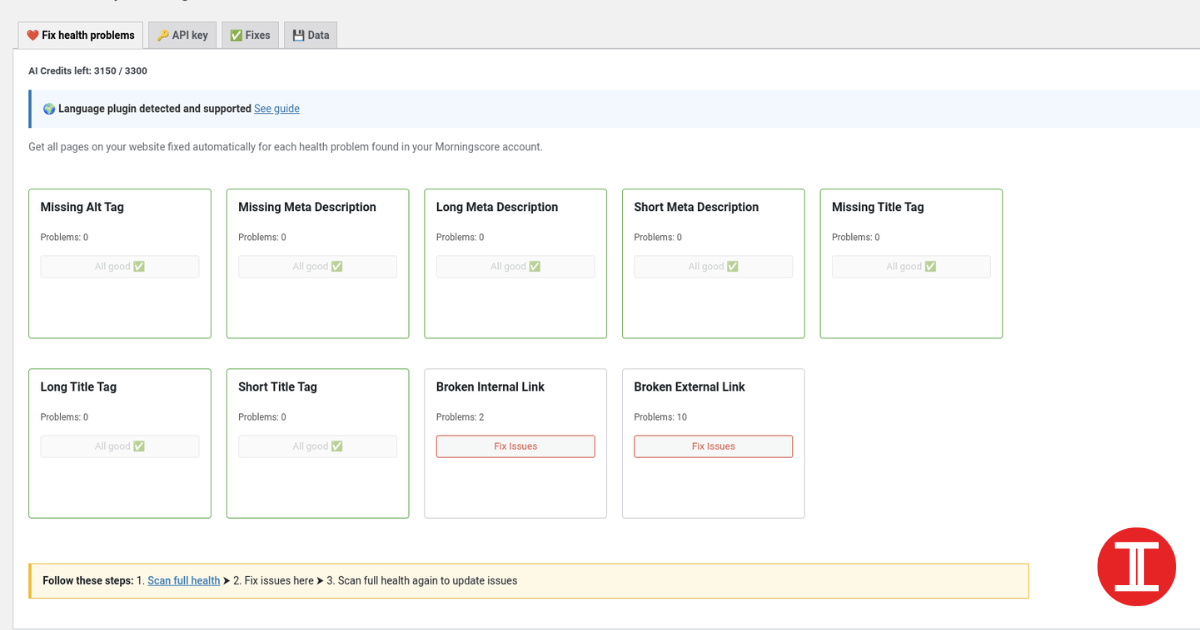
If you’re using an SEO extension or audit tool and it keeps showing “meta description missing in WordPress” or even “title missing,” don’t panic. Yoast sometimes. No meta description has been specified. In most cases, nothing is broken. By default, WordPress does not automatically output a meta description tag for every page. That job is usually handled by your SEO plugin (Yoast) or your theme. You can also browse more fixes and guides in our Technology section.
This guide shows you how to confirm what’s happening and fix it properly using Yoast, without guessing.
What “meta description missing” actually means
Tools mark it as “missing” when your page HTML does not include this tag:
<meta name="description" content="...">
Sometimes Yoast is configured correctly, but the tool still shows “missing” because it checks the wrong URL version (www vs non-www, http vs https) or because caching is serving old HTML.
Step 1: Confirm it in the page source (don’t rely on the extension)
- Open any page on your site
- Right-click and choose View Page Source
- Press Ctrl + F and search for:
<title>meta name="description"
Results:
- If
<title>exists, your title tag is present - If
meta name="description"does not exist, your site is not outputting a meta description tag for that page
This is the most reliable test.
Step 2: Set up Yoast properly (global + per post)
Yoast works on two levels:
- Global templates (fallbacks)
- Per-post custom SEO title and meta description
You should set both.
2A) Set global title and description behavior
- Go to WordPress Dashboard
- Open Yoast SEO
- Go to Settings (or Search Appearance, depending on your Yoast version)
- Set templates for Posts, Pages, and Categories
A clean, safe title template for posts is:%%title%% %%sep%% %%sitename%%
For descriptions, the best results usually come from writing custom meta descriptions for your important posts. For everything else, Yoast can use your excerpt or page content as a fallback.
2B) Set homepage title and description
Homepage meta is handled separately.
- Go to Yoast SEO settings
- Find the Homepage or Front page settings
- Fill in:
- SEO title
- Meta description
- Save
Step 3: Add meta description on a post (Yoast editor)
This is where you fix the pages that matter most and improve CTR.
- Open a post in the editor
- Scroll to the Yoast SEO panel (usually below the editor)
- Fill in:
- SEO title
- Meta description
- Update or Publish
A simple, natural meta description formula:
- The problem or intent
- What the post helps with
- What the reader gets
Example:
“Seeing ‘meta description missing’ in SEO tools? This guide explains why it happens in WordPress and how to fix it in Yoast, with quick checks and common mistakes.”
Step 4: If Yoast is set up but meta tags still don’t show
If you saved a meta description but it still doesn’t appear in the page source, it’s almost always one of these issues.
4A) Your theme is missing wp_head()
Yoast outputs meta tags through WordPress’s header hook. If your theme’s header does not include the wp_head() call, Yoast cannot print meta tags. If Yoast is set but tags still don’t show, you may not be seeing a meta description in the head section.
Signs:
- You don’t see Yoast output in the page source at all
Fix:
- Ask your theme developer to ensure
<?php wp_head(); ?>exists in header.php - Or temporarily switch to a reputable theme to test
4B) You have more than one SEO plugin active
Two SEO plugins can conflict and block meta output.
Fix:
- Keep only Yoast active
- Clear cache
- Re-check the page source
4C) Cache or CDN is serving old HTML
Yoast updates are saved, but your site may be showing an older cached version.
Fix:
- Clear your cache plugin
- Clear hosting cache if available
- Purge CDN cache if you use one
- Test in an incognito window and check page source again
4D) The tool checks the wrong URL version
Some tools check http instead of https, or the www version instead of non-www.
Fix:
- Open the exact live URL you want indexed
- Check that exact URL’s page source
- Make sure redirects and canonical settings are consistent
Step 5: About “title missing”
WordPress typically outputs a title tag by default. If a tool says “title missing,” confirm it the same way:
- View Page Source
- Search for
<title>
If <title> is genuinely missing, it’s usually a theme issue or a conflict. Updating the theme, disabling conflicting plugins, or switching themes for a quick test usually reveals the cause.
Best practice: What to fix first (so you don’t waste time)
You do not need to manually write meta descriptions for every page right away. Start here:
- Homepage
- Your top 10 posts (the ones already getting impressions/clicks)
- Your main category pages (Technology and Celebrity)
- About and Contact pages
Writing rules that work
SEO title
- Around 50 to 60 characters
- Start with the main keyword
- Make the benefit clear
Examples:
- “Meta Description Missing in WordPress: Yoast Fix”
- “Yoast Meta Description Not Showing: Quick Fix”
Meta description
- Around 140 to 160 characters
- Natural sentence, no keyword stuffing
- Clear promise of what the page helps with
Quick checklist before you move on
- Yoast is the only SEO plugin active
- Homepage meta is filled
- Important posts have custom meta descriptions
- Cache is cleared
- Page Source confirms the description tag exists
If you’re updating older posts, start with your Celebrity pages too and fix titles, descriptions, and internal links.
FAQs
1) Why does WordPress show meta description as missing?
Because WordPress does not automatically output a meta description tag on its own. A theme or an SEO plugin like Yoast usually adds it.
2) I wrote a meta description in Yoast, but it still doesn’t show. Why?
Most common reasons are a missing wp_head() call in your theme header, caching, plugin conflicts, or a URL version mismatch.
3) Will missing meta descriptions hurt my rankings?
There is no direct penalty, but it can reduce click-through rate and clarity in search results. It’s worth fixing for your important pages.
4) Do I need to write a meta description for every post?
Not immediately. Start with your top posts and key pages. Use a fallback for the rest.
5) How long should a meta description be?
A safe range is around 140 to 160 characters. Keep it clear and natural.